

How to book
How to Book Your Private Transfer
Booking a private airport or resort transfer with Alpine Buses takes just a few minutes. Choose your journey, select your transfer, add any options you need, enter your travel details and complete your payment. Once your booking is confirmed, you will receive a confirmation by email.
Step 1 — Search for Your Transfer
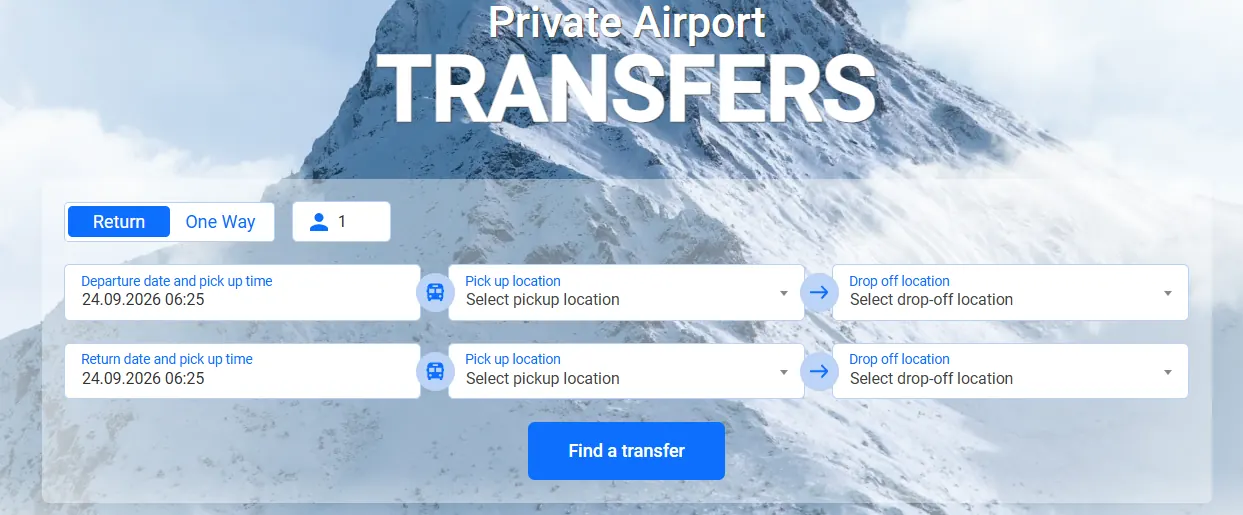
Choose whether you need a Return or One Way transfer and enter the number of passengers. Select your pick-up and drop-off locations, travel date and preferred pick-up time. For a return journey, enter your return date and time as well. Then click Find a transfer.
Step 2 — Select Your Transfer
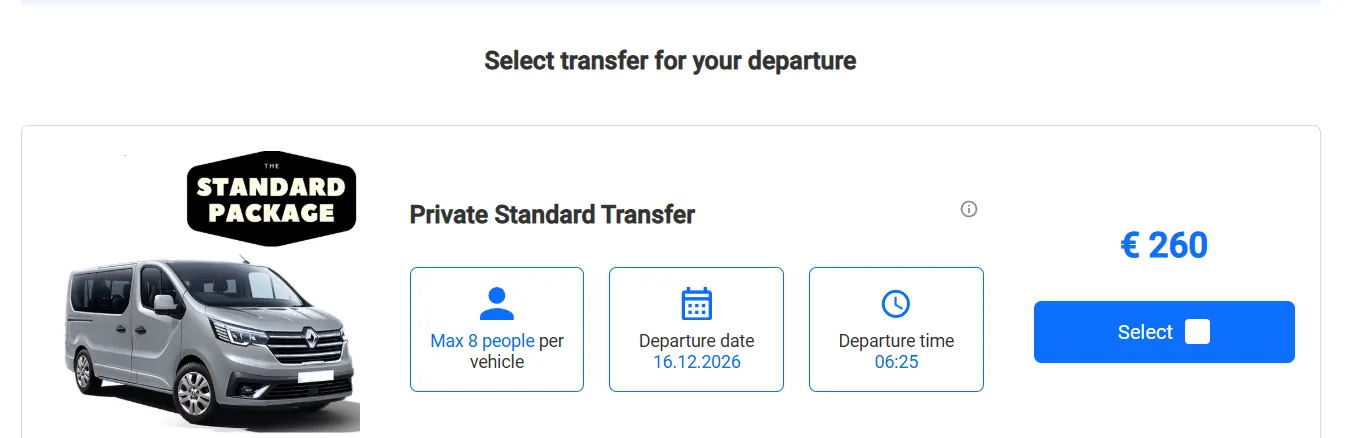
Review the available transfer option, vehicle capacity, journey date, departure time and price. Once you have checked the details and selected the transfer that suits your journey, click Select to continue. If you are booking a return journey, you may also be asked to select the transfer option for your return trip.
Step 3 — Choose Flexible Cancel if Required
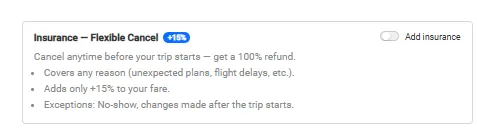
For additional flexibility, you can add our optional Flexible Cancel option to your booking for an additional 15%. This provides more flexible cancellation conditions than a standard booking. Please refer to our Terms and Conditions for the full cancellation and refund conditions.
Step 4 — Select Extra Items
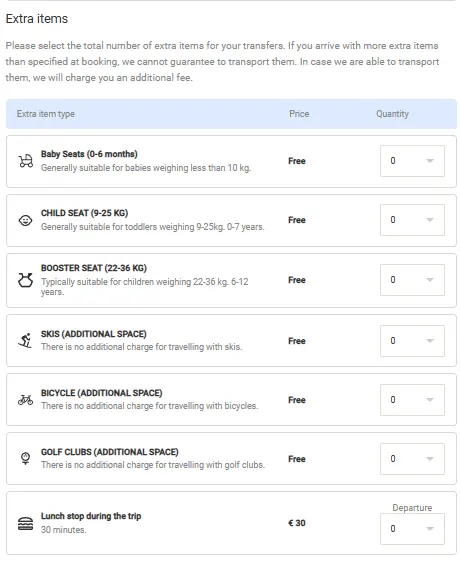
Add any extra items required for your journey. Available options may include baby seats, child seats, booster seats, skis, bicycles and golf clubs. Please select the appropriate items during booking so that we can prepare the vehicle correctly for your transfer.
Child seats and standard ski equipment can be added free of charge where shown in the booking system. If an additional service has a charge, the price will be displayed during the booking process.
Step 5 — Enter Your Details and Proceed to Checkout
Enter the lead passenger’s contact details, including name, email address and telephone number. Add your flight information where applicable and provide the requested luggage details. You can also use the additional information field to tell us anything important about your journey. Check the information carefully before proceeding to payment.
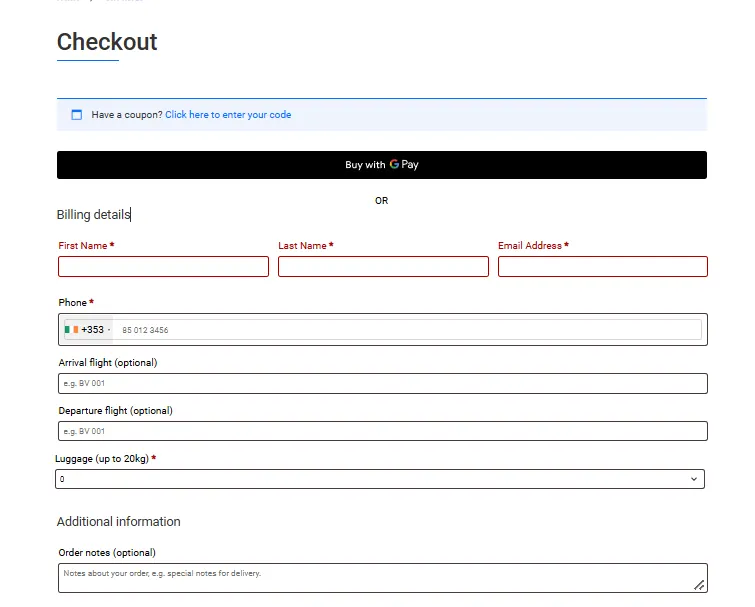
Step 6 — Complete Your Payment
Review your booking details and complete the payment. Once the payment has been successfully processed, your booking is confirmed and a confirmation will be sent to your email address.
Please keep your booking confirmation for reference. For airport pick-ups, Alpine Buses monitors inbound flight information and adjusts the transfer arrangements if your flight is delayed.
Booking at a Glance
- Choose your route, date and number of passengers
- Select your private transfer
- Add Flexible Cancel if required
- Select child seats, ski equipment or other extra items
- Enter your passenger, flight and luggage details
- Review your booking and complete payment
- Receive your booking confirmation by email
Need Help with Your Booking?
If you have any questions or need assistance with your transfer booking, our team is here to help.
Email: info@alpinebuses.com